



Mobile Banking
Accounts on the Go
Mobile Banking
Access Your Money Anytime
The KTVAECU® Mobile App 1 brings your accounts together right on your phone, so you stay connected to your money wherever you are.
- See your balances before you make a purchase
- Make payments on your schedule
- Keep bills organized in one place
- Stay up to date with alerts
Add Your Cards to Your Digital Wallet 2
Unlock the convenience of mobile payments by adding your credit or debit cards to your digital wallet. Pay securely in-store, online, and in-app with just your phone or other connected devices—no physical cards needed.
Mobile wallet is the go-to way to shop. Add your cards to your digital wallet now to experience a faster, more secure, and more convenient way to manage your payments.
Ways to Manage Your Account
Check out all the ways you can manage your account with our Mobile App!






Make External Account Transfers 8
Need to move money between your accounts at different financial institutions? With Account-to-Account transfers, you can securely connect your external accounts and move money between them and your Credit Union accounts, all within digital banking!
- Tap Move Money
- Select Account-to-Account
- Enter the Transfer Amount
- Choose the KTVAECU® Account you want to send money from and where you want the money to go
- Select Add External Account
- Select Your Institution or use the Search Bar
- Log in to your account and tap Continue
- Follow the prompts to link your external account
- Pick a Transfer Date and choose a one-time or recurring transfer
- Review the details and tap Transfer
Move Your Money
Easily move funds between your accounts, send money to another Member, or schedule future transfers!


NEW! Member-to-Member Transfer Codes
Securely send money to other Members and keep your account number private with new Member-to-Member transfer codes. The person receiving money creates a transfer code and shares it with you. You use the code to send money in the mobile app.
To create a transfer code:
- Under Move Money, choose Make a Transfer
- Select the From account
- Then choose Add New Member Destination
- Enter the Transfer Code information
- Then review and tap Submit

Set Custom Card Controls 12
Your debit card gives you control at your fingertips. Custom Card Controls let you manage how, when, and where your card is used!
- Turn your card on or off instantly
- Set customized, real-time alerts
- Add your card to your digital wallet
- Set travel plans so your card works wherever you go
- Change your PIN anytime

Get Real-Time Account Alerts 7
Stay in the know about account activity with Account Alerts! Choose which alerts you want to track and if you want to receive them by text or email. Get alerts for what matters most:
- Your account balance is under a certain amount
- A deposit has posted to your account
- Your loan payment is due or past due
- A payment has posted to your account
- A withdrawal has posted to your account
- And more!
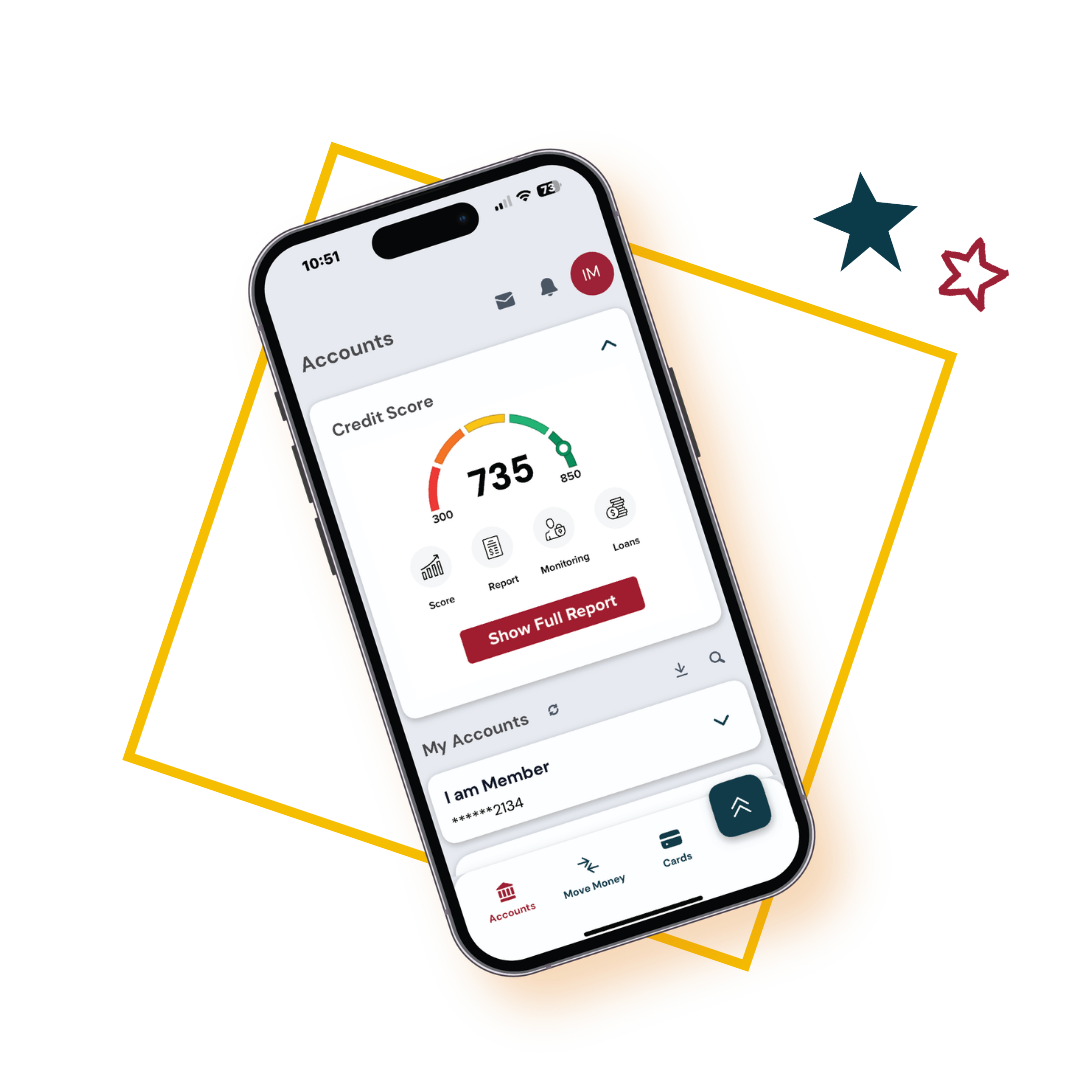
Check Your Credit Score 13
Build or maintain your credit score anytime, anywhere! Just log in to the app to see your current score, set personalized goals, and track changes to your score. The best part? It's FREE for Members!
- Check your credit score anytime
- See tips to improve your score
- Know what's affecting it
- Get notified any time your score changes

Security Features
From card controls to real-time alerts, you have powerful tools at your fingertips to help protect your accounts wherever you go.
- Card Controls 12 : Turn your card on or off, set alerts and spending limits, and more.
- Biometric Login 14 : Set up Face ID or fingerprint login with just a few taps.
- Card Fraud Text Alerts 15 : Get real-time text notifications about activity on your cards.
- 24/7 Member Help: Need help? Call Card Support anytime at (865) 544-5400.


Mobile Banking Frequently Asked Questions