


Mobile Banking2
Manage
Your Money
On The Go

Take Your Accounts With You
The KTVAECU® Mobile App1 brings your accounts together right on your phone, so you stay connected to your money wherever you are.
Check your balance, manage your payments, and adjust your settings so you’re always in control of your accounts. You may even add your cards to a digital wallet for even more convenient, flexible ways to pay!
Flexible Money Management Anytime, Anywhere


View Account Balances
Easily view your account balances inside the KTVAECU Mobile App.

Set Up Quick Balances3
Quickly check the balances of accounts that you want to view before you make a purchase. You can customize which accounts show up with Quick Balance.

View Statements4
View your digital statements to help better understand your account activity.

Customize Your Settings
Customize settings like account visibility, language preferences, font selections, and more. Plus, turn on dark mode!
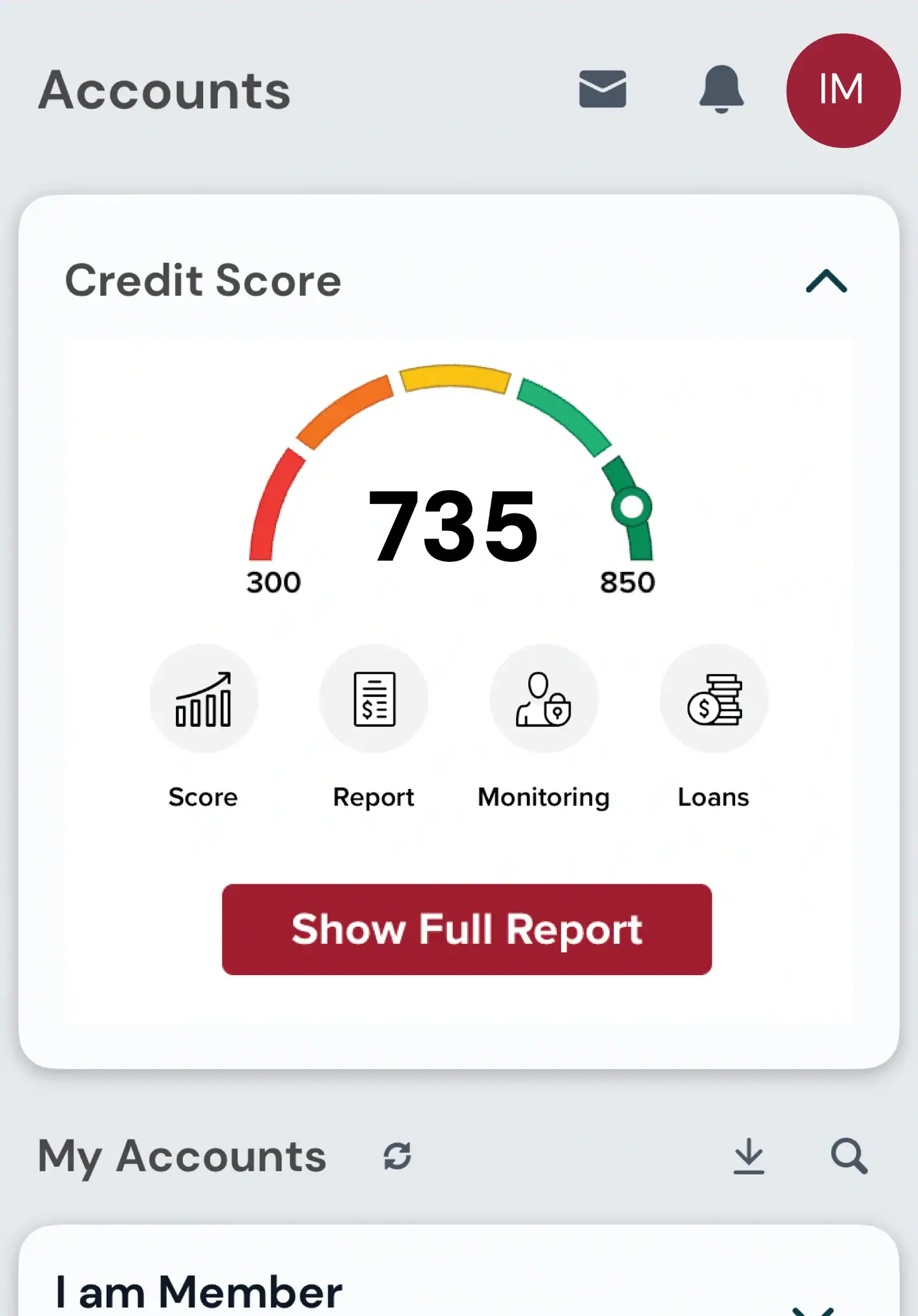
Access Your Credit Score5
View your credit score for FREE with KTVAECU Digital Banking.
Mobile Deposit6
Deposit a check from your mobile phone. There’s no need to visit a bank or ATM!
Move Your Money
Easily move funds between your accounts, send money to another Member, or schedule future transfers!
Make-A-Transfer
Transfer funds between KTVAECU checking, savings, or other eligible accounts anytime. Make one-time transfers or schedule them in advance.
Pay-A-Person7
Send money to friends, family, or anyone with a debit card. All you need is their email address or mobile number. It’s perfect for splitting expenses, paying back a friend, and more.
Pay-A-Bill8
Easily pay rent, utilities, and more. Plus, set up one-time payments or schedule recurring bill payments.
Account-to-Account
With Account-to-Account Transfers, you can securely connect your external accounts and move money between them and your Credit Union accounts!
Make-A-Payment9
Make one-time or recurring payments from another financial institution at any time.
Set Customized Controls10
Manage your card settings and keep tabs on account activity right from Mobile Banking. Card Controls let you quickly turn your card on or off, manage how it can be used, and add an extra layer of protection when you need it. You can also set alerts to stay informed about important activity, transactions, balances, add cards to your digital wallet, and more.

Helpful How-To Tutorials
Watch our tutorials on YouTube for step-by-step instructions.

Check Out
Our Tutorials
Digital Banking Tutorial
Our Tutorials

How To Update
Your Personal Information
Digital Banking Tutorial
Your Personal Information

How To
Hide Accounts
Digital Banking Tutorial
Hide Accounts

How To Add Cards to
Your Digital Wallet
Digital Banking Tutorial
Your Digital Wallet

How To
Check Your Credit Score
Digital Banking Tutorial
Check Your Credit Score

How To
Set Account Alerts
Digital Banking Tutorial
Set Account Alerts
Mobile Banking FAQs
Can’t find the answer to your mobile banking question?
Contact Us
Visit the Apple or Google Play store and search for Knoxville TVA Employees Credit Union. Tap get or install to download.
Open the app and select More. Enter your information, accept the terms and conditions, then create your username and password.
Contact us or visit your local branch as soon as possible. We’ll remove the device from digital banking to help protect your account.
- Log in to digital banking
- Select Statements
- Choose Manage Preferences
- Select Enable All to enroll in all statements or turn on eStatements for individual accounts
The KTVAECU Mobile App supports Apple Watch Access. Turn on watch permissions through your device settings.
Download the App
Get our mobile app for full access to tools to help you stay connected to your accounts.