




Debit Cards1
Spend
with Ease

The Debit Card that Rewards You
With the KTVAECU Debit Card, access your money anytime and earn rewards when you spend. Use your card to:
- Pay for everyday purchases
- Shop online with confidence
- Earn uChoose Rewards2 Points on qualifying purchases
- Withdraw cash at more than 90,000 surcharge-free ATMs nationwide
Whether you pay at the store, online, or on the go, your debit card keeps your money within reach.
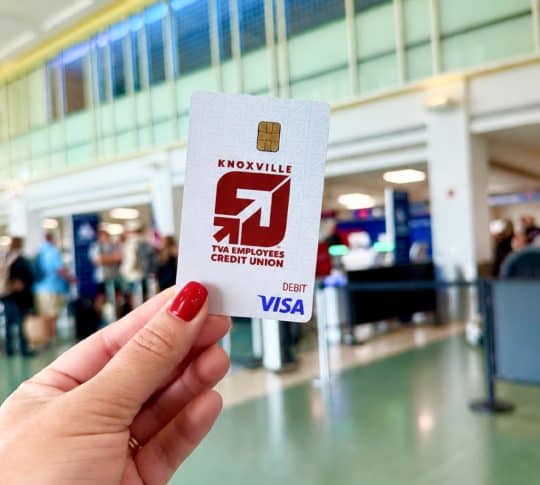
Get More From Your Debit Card
24/7 Support
Call (865) 544-5400 anytime for help with your card.
Pay with Your Phone
Add your debit card to your digital wallet for a quick and more secure checkout.
Get Cash
Access your money nationwide without the extra fees at surcharge-free ATMs3.
Customize Your Card
Personalize4 your debit card with a picture of your choice.
Set Alerts5
Keep track of your account with custom text or email alerts.
Enhanced Security
Save more securely with 24-hour fraud protection and access to our fraud center.
You Already Earn Points
Every time you use your KTVAECU Debit Card as a signature-based purchase, you earn uChoose Rewards® Points automatically. If prompted for a PIN, ask the cashier to run the transaction as CREDIT.
Check your uChoose Rewards® Points anytime under Card Controls in digital banking.
- 2,500 debit card points = $25.00 cash
- 1,000 credit card points = $10.00 cash
Stay More Protected with Debit Card Security
Your KTVAECU Debit Card includes built-in features that help protect you from fraud.
24/7 Card Fraud Monitoring
You’re automatically enrolled in Card Fraud Text Alerts with your debit card.
- If suspicious account activity occurs, we’ll text you from a 5-digit short code
- If you did not make the purchase, reply NO
- Unsure about a text? Call us or visit a branch
Customized Alerts
- Get real-time alerts for card activity
- Choose alerts for deposits, payments, and other transactions
- Set notifications for specific merchant types
- Keep tabs on where your card is being used
- Receive alerts by text or email
Stay in the know with alerts that keep you connected to your account and card activity.
Contactless Security
Contactless chips store only partial, encrypted card details. This means even if someone tries to steal information, they won’t be able to use your card.
KTVAECU Debit Cards feature contactless payments for a quicker, safer checkout.
More Control in Your Hands
Take more control of your debit card with Card Controls6. Card Controls lets you:
- Turn your card on or off instantly
- Add your card to your digital wallet
- Manage how, when, and where your card is used
- Set travel plans so your card works wherever you go
- Change your PIN anytime
- And more

Let’s Talk Debit Cards
Debit or credit—what’s the deal? In this podcast episode, we break down the myths and questions to help you swipe smarter with your debit card.
Tune in to hear the hottest financial topics turned into fun, relatable conversations!
Debit Card Frequently Asked Questions
Can’t find the answer to your debit card question? Contact us!
If you suspect your debit card has been lost or stolen:
1. Turn your card off in Card Controls within digital banking
2. Call (865) 544-5400 right away to block the card and issue a replacement.
To learn more about fraud protection, click here.
First, check your account balance or transaction alerts in digital banking. If everything appears normal, please call us at (865) 544-5400, and we’ll review your account to help you resolve the issue.
Activate your new card using Card Controls in digital banking.
1. Log in to the mobile app or online banking
2. Click Card Controls in the menu
3. Find your new card and press Activate
You earn uChoose Rewards® Points automatically when you make qualifying signature-based purchases with your KTVAECU® Debit Card. Points are redeemable for cash, gift cards, travel, and more.
Change your PIN anytime with Card Controls in digital banking!
1. Choose Cards
2. Select Card Controls
3. Under Manage Cards, select Change PIN
4. Follow the prompts and update your PIN
A pending transaction is a temporary hold on funds for a transaction. A posted transaction is when the money from that transaction has fully cleared your account.
Some fees may apply when using a debit card. For more information, view our fee schedule.
If you suspect your debit card has been lost or stolen:
1. Turn your card off in Card Controls within digital banking
2. Call (865) 544-5400 right away to block the card and issue a replacement.
To learn more about fraud protection, click here.
Start an Account
Open your Savings with Debit account online or in person, or reach out to us for help.